Run your transfer operations from one control center.
Comprehensive Airport Transfer Software for shuttle, VIP and airport transfer businesses — a Transfer Reservation System that covers booking, vehicle planning, driver management and finance.
- Transfer booking system
- Operations management
- Finance & reporting
Shuttle Transfer is not a transfer booking service. It is commercial software sold to transfer companies to run their own operations.
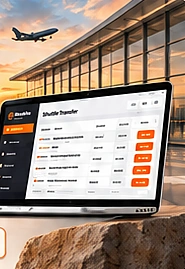
One operations hub for your entire transfer business.
Shuttle Transfer Management Software brings reservations, dispatch planning, vehicle and driver records and financials into one control panel. Requests from every channel become structured records, and your operations team plans the whole day from a single screen.
This page presents a software product; no transfer services are sold here.
Who is it for?
- Airport transfer companies
Manage dense, flight-dependent transfer traffic with structured reservations and vehicle planning.
- Shuttle transfer operators
Plan shared and private shuttle runs by capacity and keep every passenger record in one place.
- VIP transfer companies
Run your VIP Transfer Software fleet and drivers with dedicated pricing and operations workflows.
- Tourism transport companies
Keep hotel, tour and airport transfer requests organised even in peak seasons.
- Travel agencies
Track transfer arrangements you organise for clients together with booking and payment records.
One flow from reservation to confirmation.
Run your Transfer Booking System without depending on phone calls and messages; one-way and round-trip requests, passenger details and vehicle choices live in a single record.
- Online booking
Receive transfer requests through the web and store them as records.
- One-way and round-trip
Manage both reservation types in the same flow.
- Shuttle and VIP options
Offer different service classes from one system.
- Passenger details
Keep passenger and contact information attached to the booking.
- Vehicle type selection
Record the requested vehicle class on the reservation.
- Transfer routes
Define pickup and drop-off points as routes.
- Pricing
Calculate prices by route and vehicle type.
- Flight information
Add flight details to airport transfer records.
- Reservation management
Track confirmation, change and cancellation statuses.
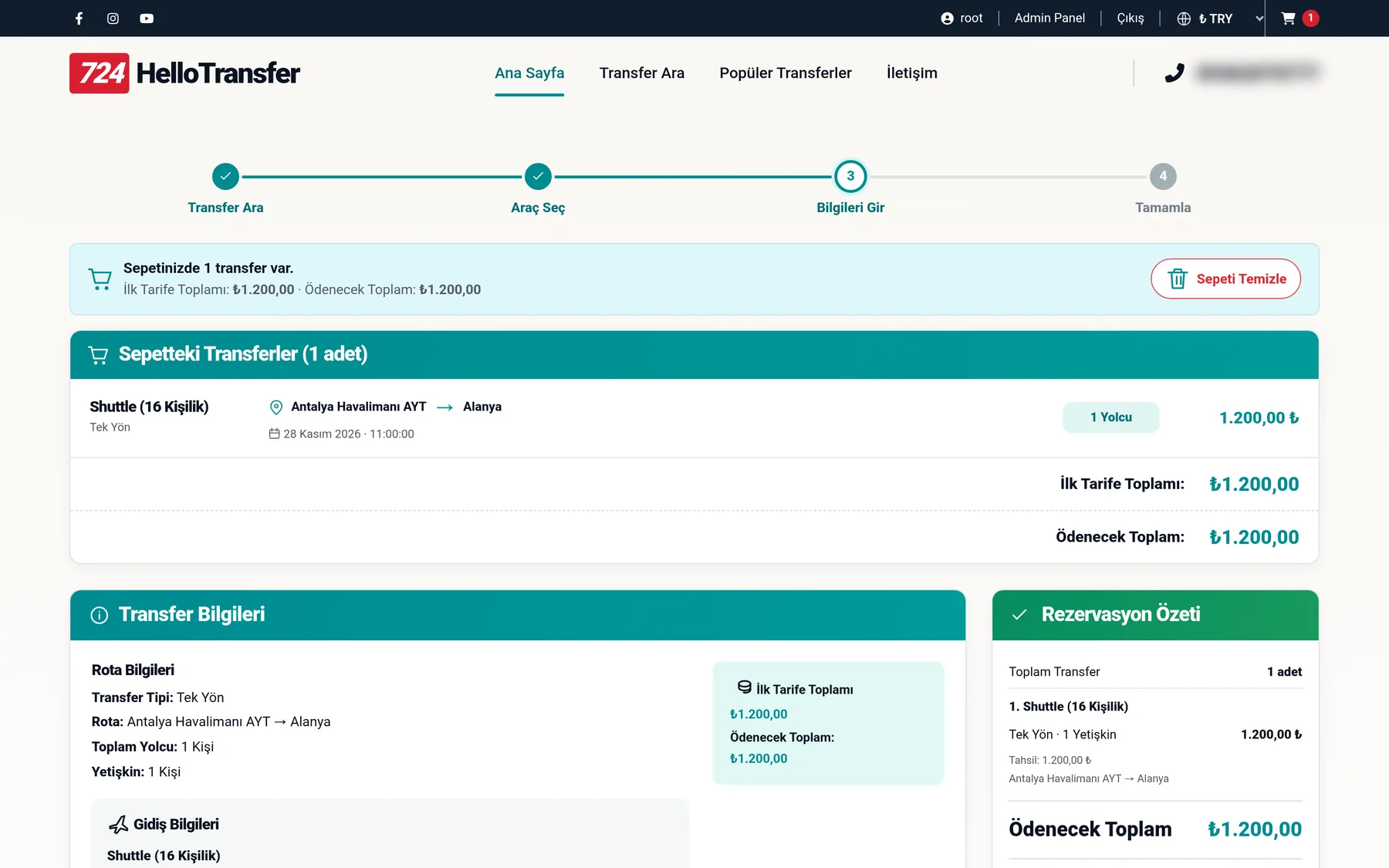
Actual product screenshot — captured from the demo environment; personal data is masked.
Build the day’s plan on a single screen.
Confirmed reservations become the daily operations plan; vehicles and drivers are assigned to jobs and every transfer status is followed step by step.
- Central reservation tracking
See every reservation in one list.
- Daily operations plan
Create a transfer schedule day by day.
- Vehicle assignments
Assign suitable vehicles to reservations.
- Driver assignments
Match jobs with drivers.
- Transfer status tracking
Follow pending, en-route and completed transfers.
- Flight and pickup times
Manage pickup time together with flight information.
- Operational workflows
Move job statuses through defined steps.
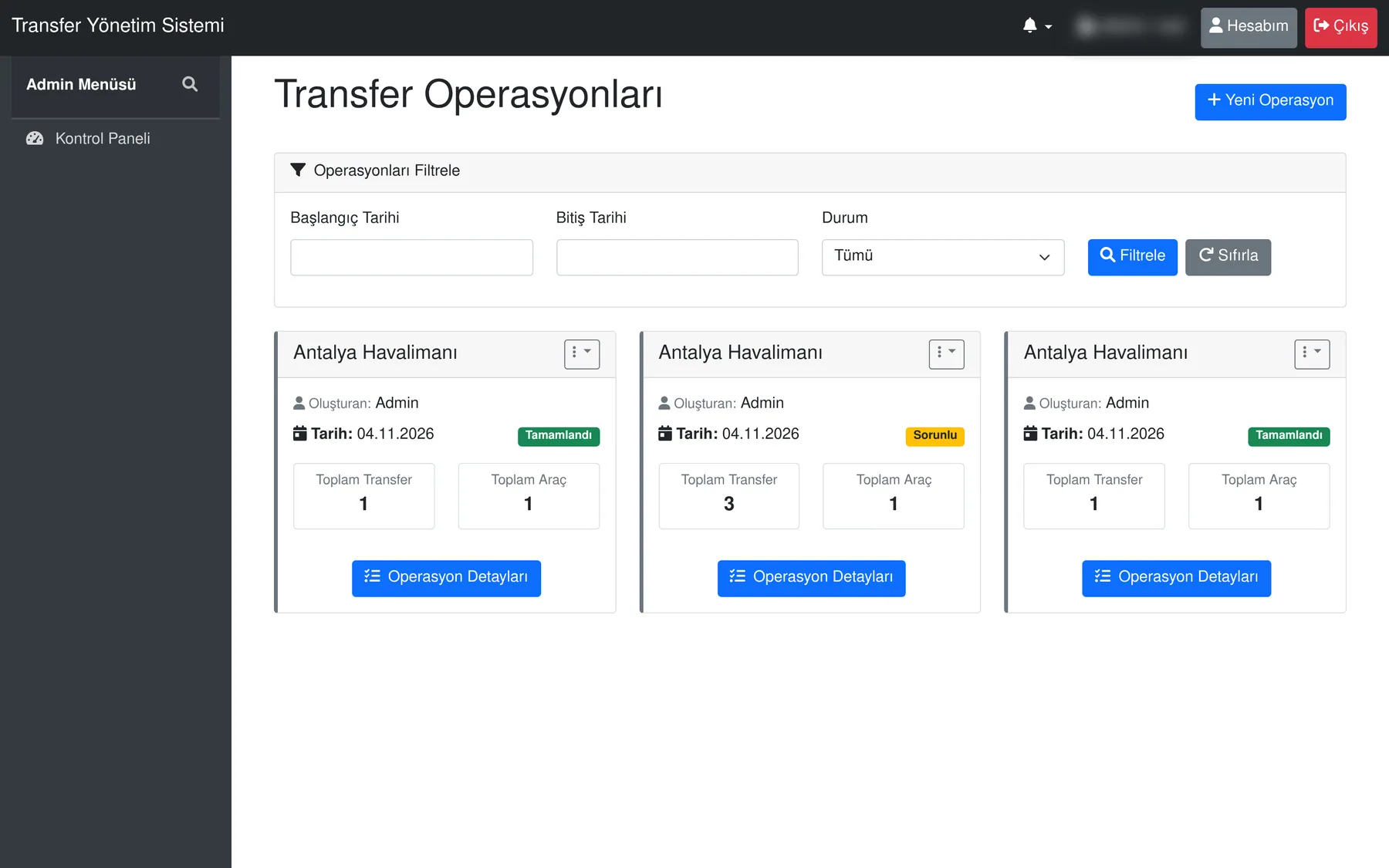
Actual product screenshot — captured from the demo environment; personal data is masked.

- Vehicle definitions
- Vehicle capacity
- Vehicle categories
Manage your fleet and team from the same records.
Vehicle definitions, capacities and driver records are linked to reservations and operations assignments; accurate records keep planning accurate.
- Vehicle definitions
Record plate, model and equipment details.
- Vehicle capacity
Plan shuttle and VIP jobs according to capacity.
- Vehicle categories
Group vehicles by service class.
- Driver records
Keep driver details and availability in one place.
- Job and transfer assignments
Match drivers with transfers.
- Operations records
Keep past jobs and assignments on record.
Every transfer has a financial record.
Define pricing by route and vehicle type, then connect collections and payments directly to reservations.
- Route-based pricing
Set fixed or variable prices per route.
- Vehicle-based pricing
Apply separate price lists to vehicle classes.
- Shuttle and VIP models
Use separate pricing structures for both services.
- Multiple currencies
Keep prices and records in different currencies.
- Collection records
Match collections with reservations.
- Payment tracking
Follow pending and completed payments.
- Commissions and processes
Record commissions and revenue items.
- Reporting
Report the financial picture for any period.
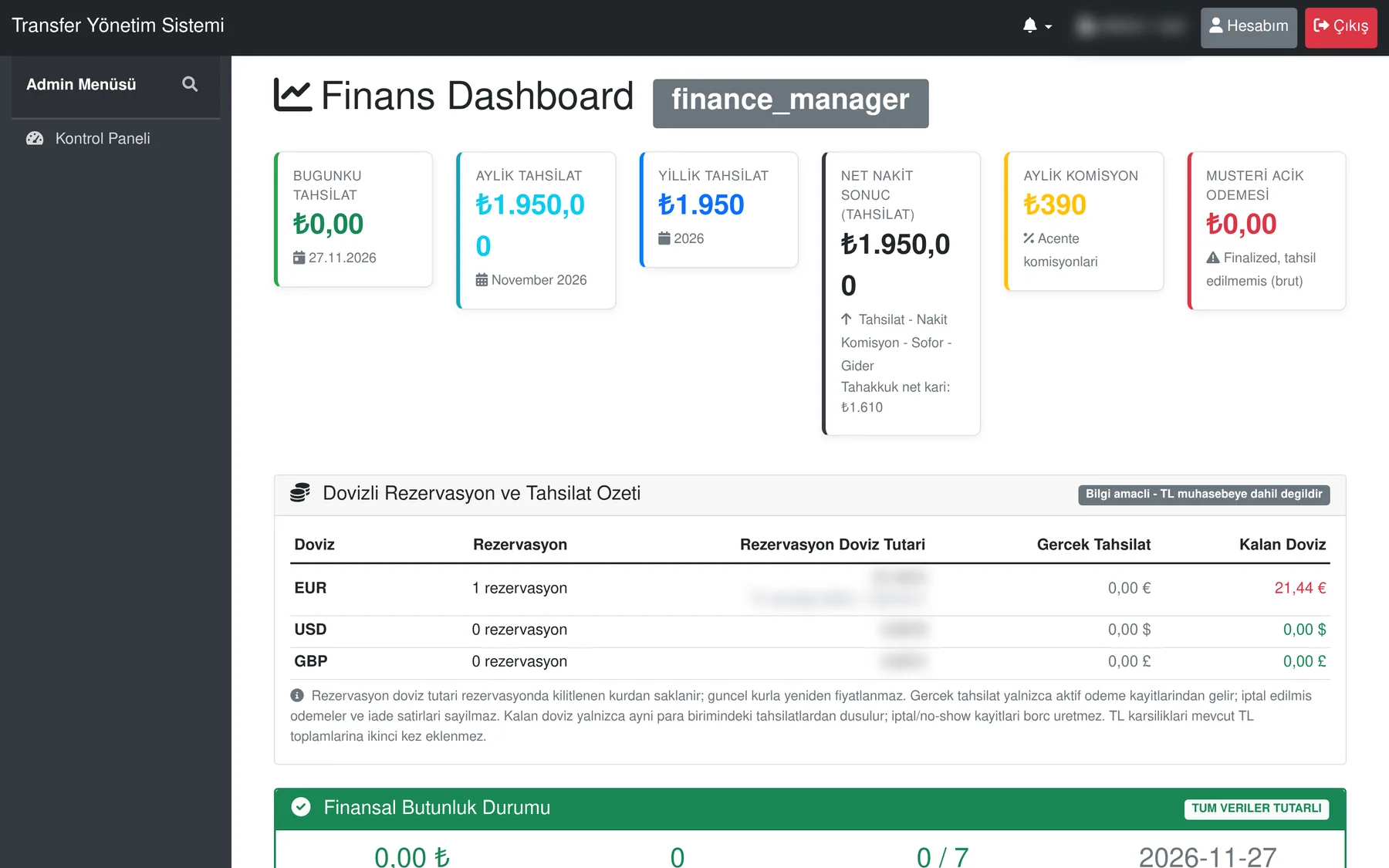
Actual product screenshot — captured from the demo environment; personal data is masked.
Customer records and booking history together.
Contact details, passenger information and past reservations are kept in central customer records.
- Customer records
Manage individual and corporate customers in one record structure.
- Reservation history
View previous transfers from the customer record.
- Passenger details
Connect passengers to customers and reservations.
- Contact information
Keep phone and email details on record.
- Reservation statuses
Distinguish active and completed reservations.
- Central record management
Use one source instead of scattered lists.
Verified technical capabilities.
The infrastructure capabilities presented on this page are limited to what is verified in the current product scope.
- Responsive booking interface
The booking flow works on mobile and desktop.
- Multiple currencies
Records can be kept in different currencies.
- Central management panel
Reservations, operations and finance in one panel.
- Modular architecture
A structure that grows with business needs.
- Secure data management
Customer and reservation data is managed centrally.
Third-party API, GPS, accounting or payment provider integrations are not listed because they are not verified for this product.
The product flow, from booking to finance.
Screens captured from the real product interface, from the booking flow to the management panel.
The screens come from the live product environment. Customer and business data are masked.
Less operational load, better records.
The concrete benefits the software delivers in daily use.
- Fewer manual steps
Reservation records no longer depend on phone and message traffic.
- Central operations
The team works from the same plan and records.
- Easier vehicle and driver planning
Assignments happen on one screen, so planning moves faster.
- Organised reservation records
Past transfers remain searchable records.
- Visible financial processes
Collections and payments are linked to reservations.
- Infrastructure ready to grow
The management structure scales with more vehicles and staff.
Common questions about Shuttle Transfer.
Short answers about product scope and usage scenarios.
What is Shuttle Transfer Automation?
It is a commercial Transportation Management Software product that lets transfer companies run reservations, operations, vehicle and driver management and finance in one panel. It does not provide transfer services; it helps a company manage its own services.
Which businesses can use it?
It fits airport transfer companies, shuttle and VIP transfer operators, tourism transport companies and travel agencies that organise transfers.
Can shuttle and VIP transfers be managed in the same system?
Yes. Service classes, vehicle categories and pricing models can be defined separately, so both transfer types run from the same panel.
Can bookings be taken online?
Yes. Reservations can be taken through the web; passenger details, route, vehicle type and flight information are added to the record.
Can vehicles and drivers be assigned?
Yes. Reservations are matched with vehicles and drivers, and assignments are followed through the daily operations plan.
Are round-trip reservations supported?
Yes. One-way and round-trip reservations can be created in the same flow.
Can different currencies be used?
The product is structured to work with multiple currencies; the currencies in use are defined according to the company’s setup preferences.
How can I learn the price of the software?
Current pricing and licensing information has not been published yet. For a quote, contact us at [email protected].
Start digitalizing your transfer business.
Share your requirements and let us assess together how Shuttle Transfer Automation can be adapted to your company.
Send your quote request by email to [email protected].